• Hello!

    Either you have not registered on this site yet, or you are registered but have not logged in. In either case, you will not be able to use the full functionality of this site until you have registered, and then logged in after your registration has been approved.

    Registration is FREE, so please register so you can participate instead of remaining a lurker....

    Please be certain that the location field is correctly filled out when you register. All registrations that appear to be bogus will be rejected. Which means that if your location field does NOT match the actual location of your registration IP address, then your registration will be rejected.

    Sorry about the strictness of this requirement, but it is necessary to block spammers and scammers at the door as much as possible.

Cutting out the background from an image

manog

Closet Creation Herps
Hello All,

I have been trying to figure out how to cut out the background of a photo using photo shop and i cant get right.

For example, i take a pic of a snake on its aspen, how do i either erase the aspen or cut the snake out to put on another background?

Any help would be appreciated!
 
i know a way you can do it with poor quality on MS Paint, but you'll probably know how to do it on there. . .
 
its simple:

1. Open up the image in paint of which you want the background cut out.

2. Colour the background in the colour you want it.

3. Go around the main image in white, or maybe some other colour.

4. Save/Save As and VOILA!!


^ ^ ^
Example
 
if you want to put the picture onto a NEW background;

1. Open up the background you want to use in MS paint and minimize it for later.

2. Open up the picture you want put onto the background in MS Paint, then use the freeform select to select the part (e.g. snake) then go to edit, then copy (keyboard shortcut Ctrl + C) and you may now close that window.

3. Remember the background we minimized earlier? open that up then go to edit the paste (keyboard shortcut Ctrl + V) then move it to where bouts in the background you want it.

4. Save/Save As and. . . VOILA!
 
manog said:
Hello All,

I have been trying to figure out how to cut out the background of a photo using photo shop and i cant get right.

For example, i take a pic of a snake on its aspen, how do i either erase the aspen or cut the snake out to put on another background?

Any help would be appreciated!
Easier option:
Get a piece of A3/A4 White paper, place the snake on, take a pic, erase the white, and voila!
 
There is a way to do that in Photoshop. It's been a very long time since I did it so I can't remember what the tool is called. I think it's call the "Magic Wand" but that doesn't sound right. Anyway, the tool is used to select areas and there is an adjustment to make it more or less sensitive. You could select the background areas that don't include the snake and delete them or select the snake and delete the background in one shot. I know you can do it in Photoshop but it's been over 5 years since I last fooled with it. There has to be a Photoshop guru on here that can comment on this tool/technique. Hope that helps a little.
 
VinnyJ said:
There is a way to do that in Photoshop. It's been a very long time since I did it so I can't remember what the tool is called. I think it's call the "Magic Wand" but that doesn't sound right. Anyway, the tool is used to select areas and there is an adjustment to make it more or less sensitive. You could select the background areas that don't include the snake and delete them or select the snake and delete the background in one shot. I know you can do it in Photoshop but it's been over 5 years since I last fooled with it. There has to be a Photoshop guru on here that can comment on this tool/technique. Hope that helps a little.
You got it right in one.
 
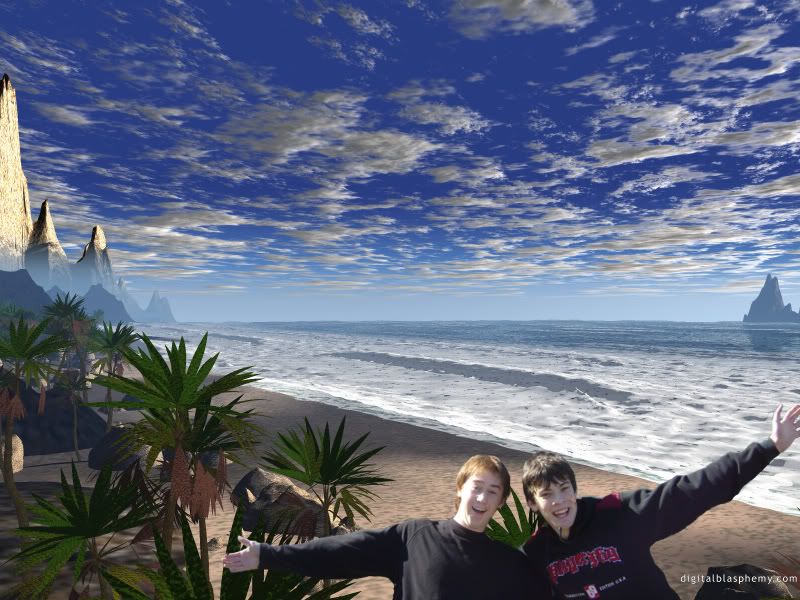
Yep, Photoshop's Magic wand =

willclarktropiccopy.jpg
 
Back
Top