
-
Hello!
Either you have not registered on this site yet, or you are registered but have not logged in. In either case, you will not be able to use the full functionality of this site until you have registered, and then logged in after your registration has been approved.
Registration is FREE, so please register so you can participate instead of remaining a lurker....
Please be certain that the location field is correctly filled out when you register. All registrations that appear to be bogus will be rejected. Which means that if your location field does NOT match the actual location of your registration IP address, then your registration will be rejected.
Sorry about the strictness of this requirement, but it is necessary to block spammers and scammers at the door as much as possible.
You are using an out of date browser. It may not display this or other websites correctly.
You should upgrade or use an alternative browser.
You should upgrade or use an alternative browser.
Unable to post pics
- Thread starter bitsy
- Start date


3CardKnight
Het for awesome...
I agree with Drizzt, it sounds like your browser is blocking pop ups. Which browser do you use; Internet Explorer, Firefox, Safari, etc? I use Firefox and on some sites it blocks pop ups but when it does, I get a yellow bar up by the tabs telling me something was blocked. When I click on the bar, it gives me the options of continuing to block from that site, temporarily allow pop ups from that site, or always allow pop ups from that site.
Another reason for not getting the manage attachments button to work is that you have an older version of a browser and may need to upgrade. Also, I know it sounds silly, but sometimes certain settings will cause the pop up window to appear behind the one you are currently viewing and you'll never see it unless you minimize the main window.
Hope this helps and if you still have issues, you can always get a free photobucket or other photo-hosting account, upload your pic(s) to them, and just add the img code to your regular posting. This would also save this forum from hosting the pic(s) and and save them space and bandwidth.
Hopefully soon, we'll see pics of your collection.
Another reason for not getting the manage attachments button to work is that you have an older version of a browser and may need to upgrade. Also, I know it sounds silly, but sometimes certain settings will cause the pop up window to appear behind the one you are currently viewing and you'll never see it unless you minimize the main window.
Hope this helps and if you still have issues, you can always get a free photobucket or other photo-hosting account, upload your pic(s) to them, and just add the img code to your regular posting. This would also save this forum from hosting the pic(s) and and save them space and bandwidth.
Hopefully soon, we'll see pics of your collection.

bitsy
Owned by Corns since 1991
Click the manage attachments button
Ah - there we have the crux of the problem; there is no "Manage attachments" button on my screen.
I've not had a problem posting pics here until I tried a few days ago.
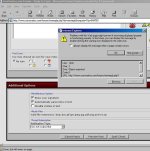
I get the usual box that lists what type of files are in an acceptable format. Previously, I'd get the "Manage attachments" button off to the right of that section - but it isn't there any more.
I've tried clicking in the area that it used to be, just in case the button is hidden, but there's no discernible code and no response.
Rich - Should I email you my screen shot, as I can't post it?

You might want to try using Firefox. A lot of people use it and seem happy with it -> http://www.mozilla.com/en-US/firefox/
I'm still using IE and am not having the problems you indicated....
I'm still using IE and am not having the problems you indicated....